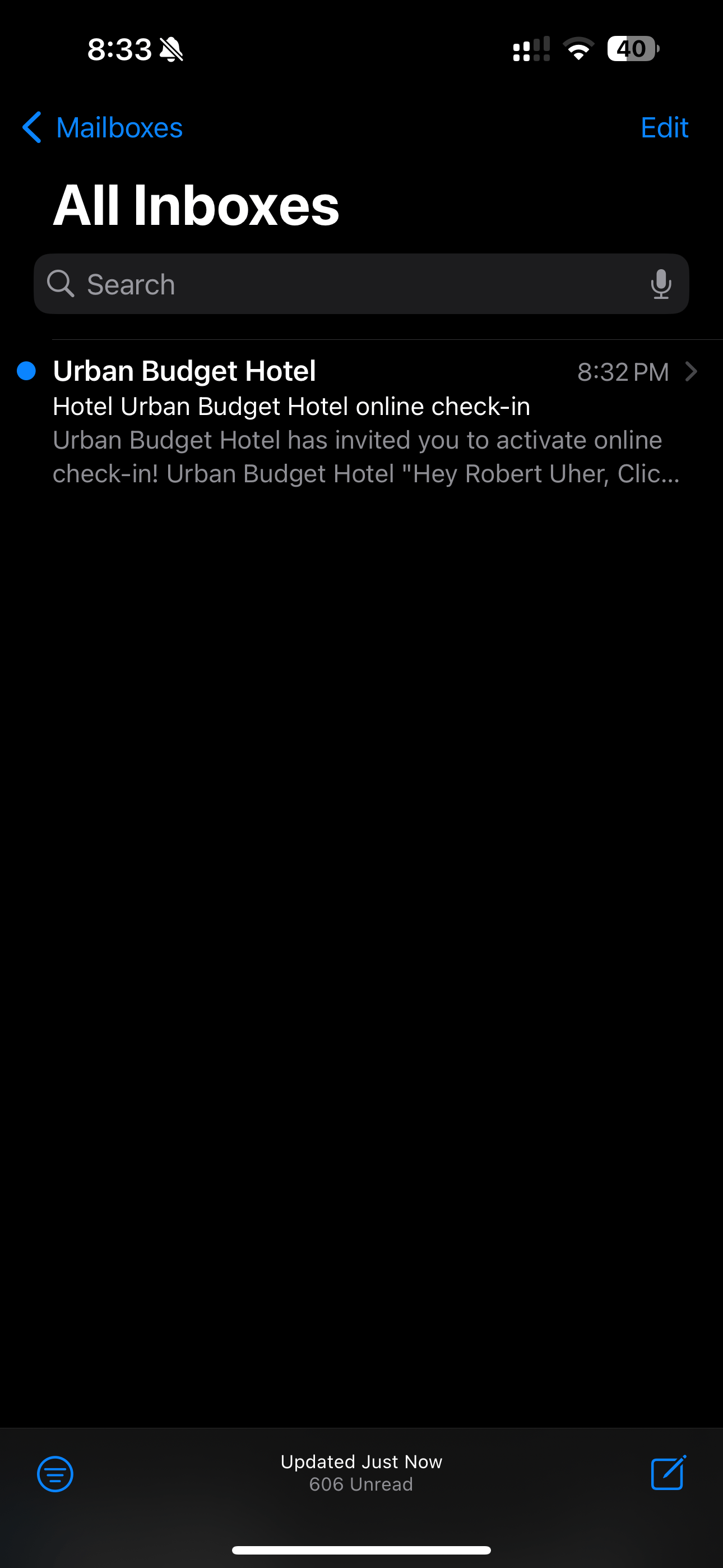
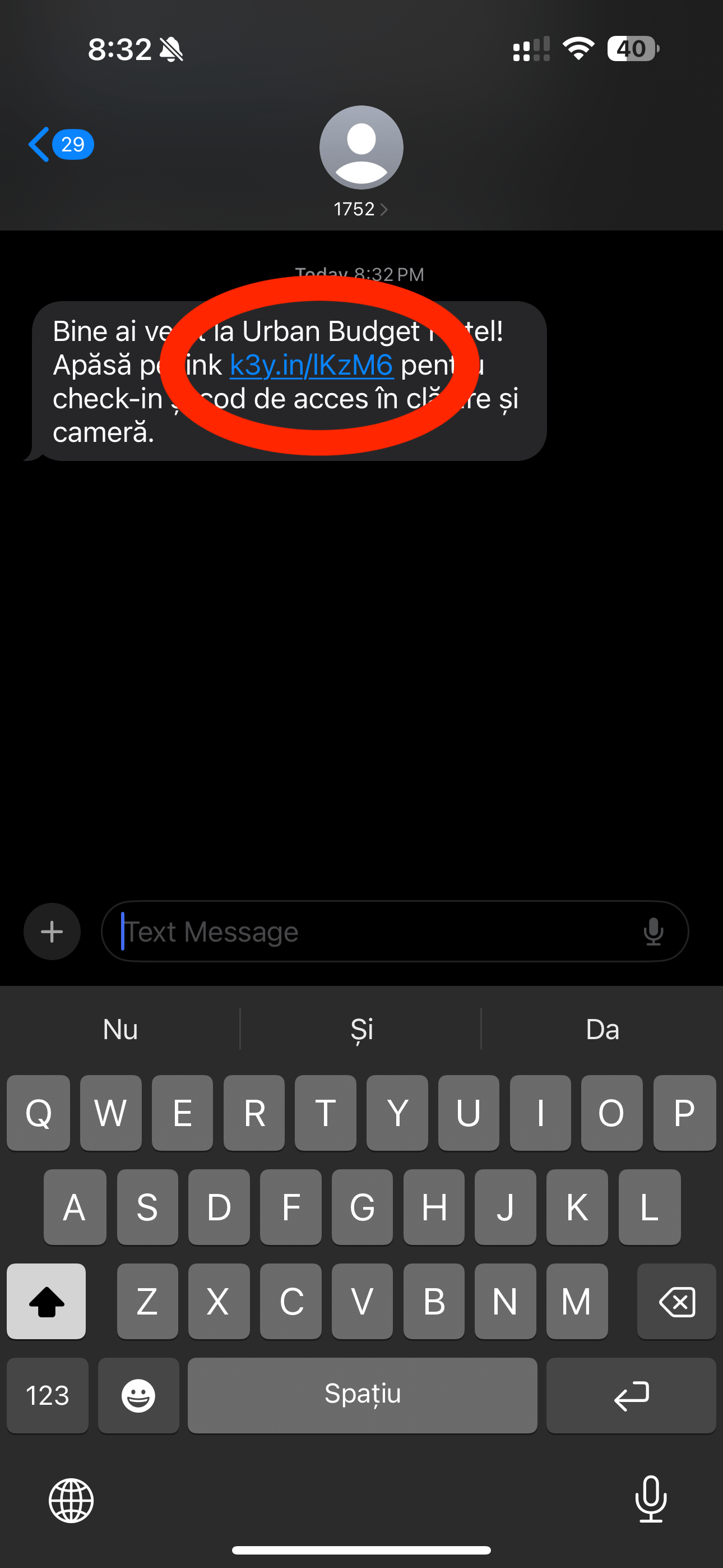
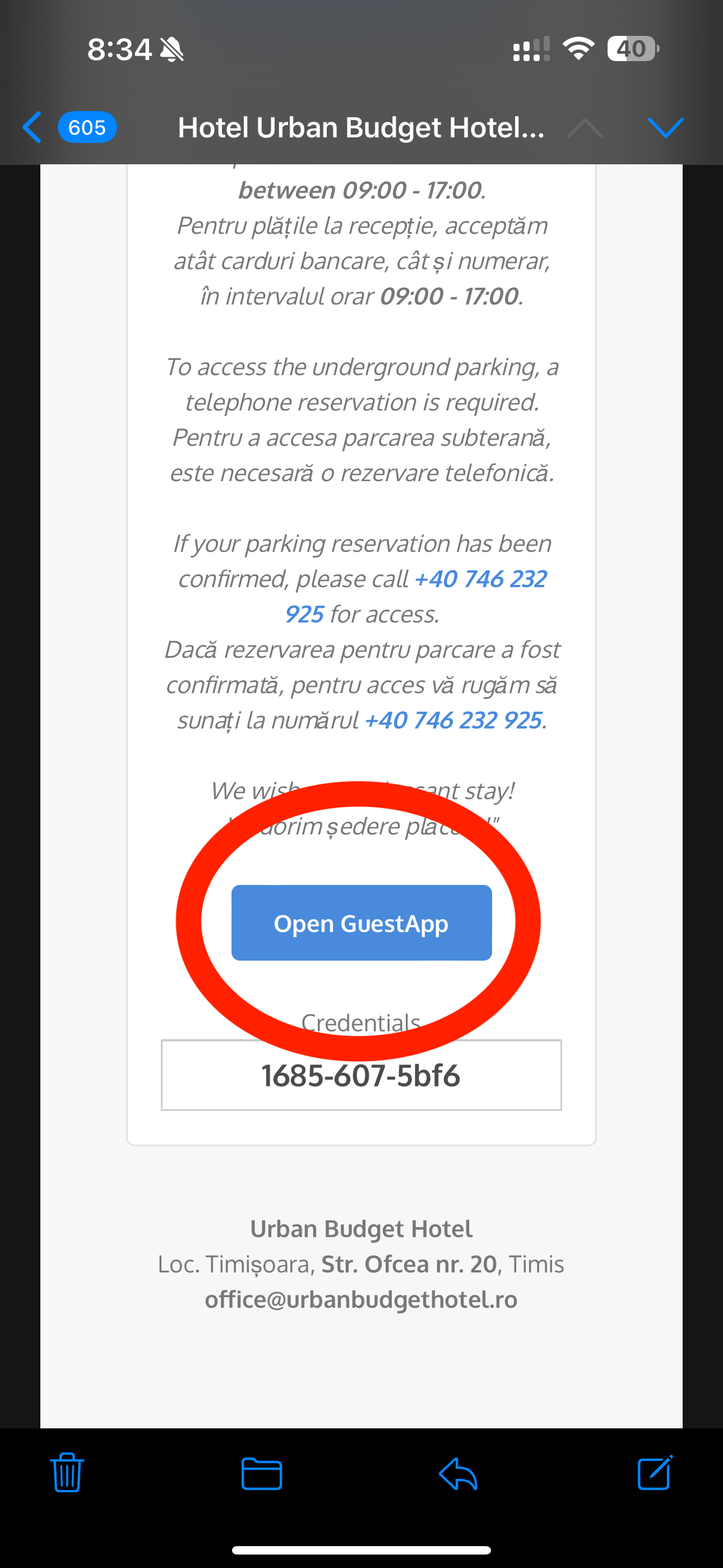
1. After making your reservation, on the day of arrival at 11:00 am you will receive a SMS and an email with the subject “online check-in”.
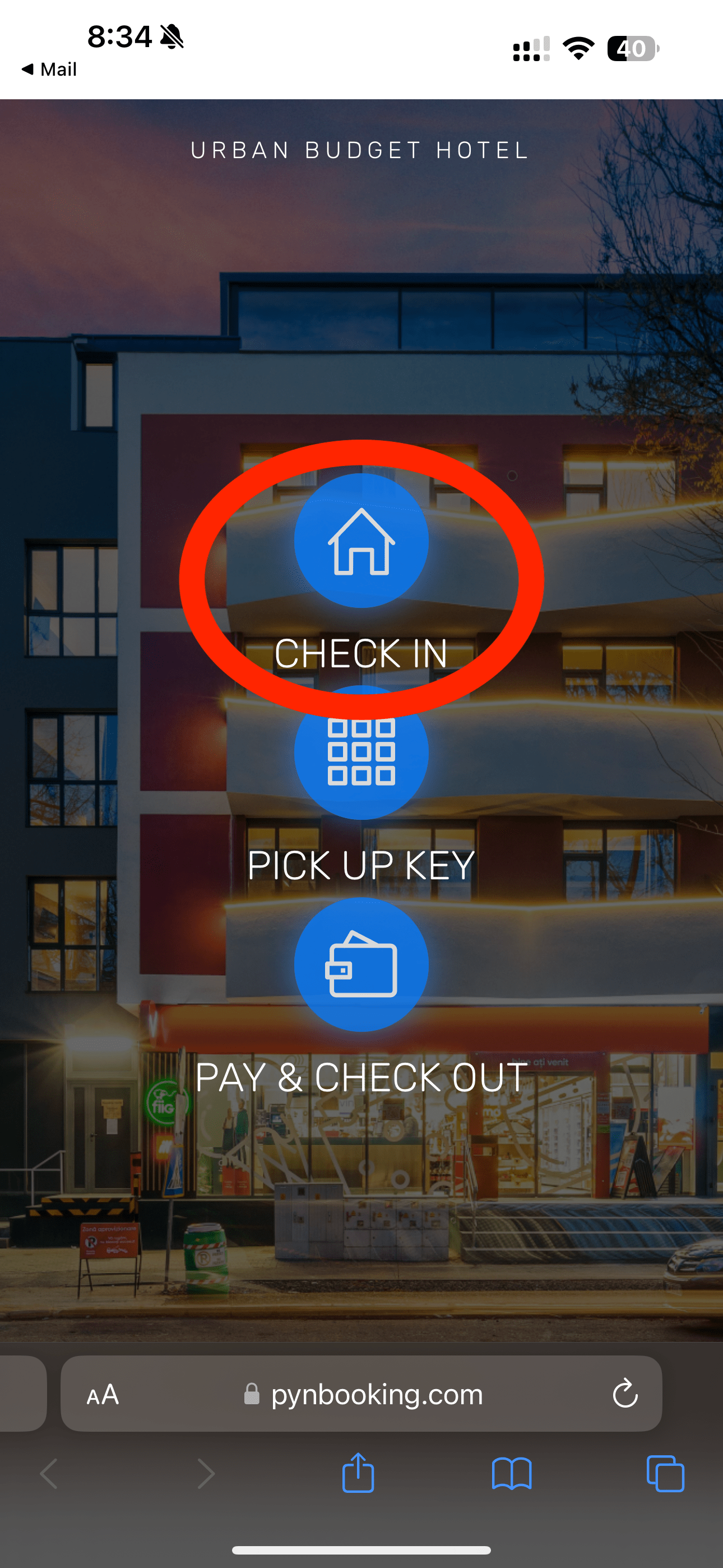
Access the link from the SMS or click on the “Open GuestApp” button in the email.
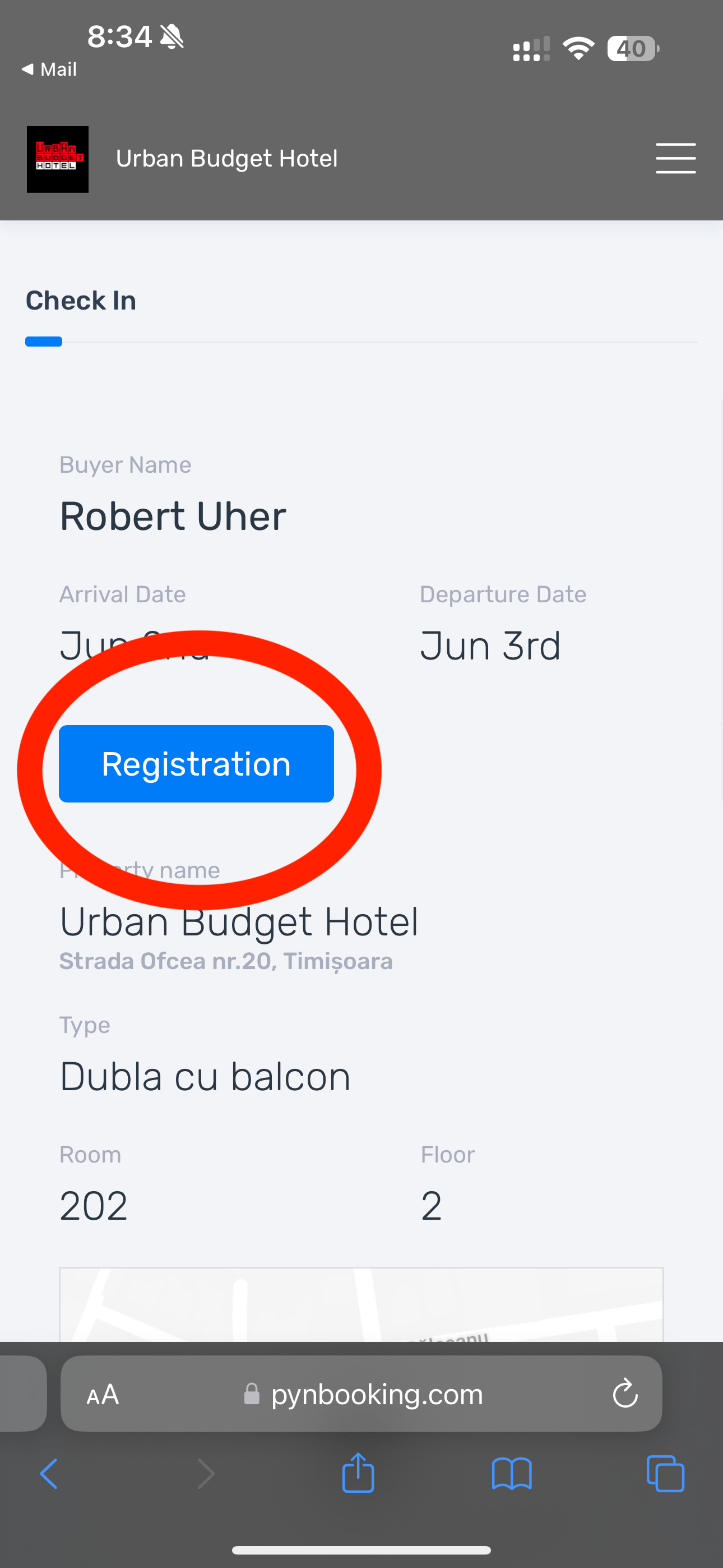
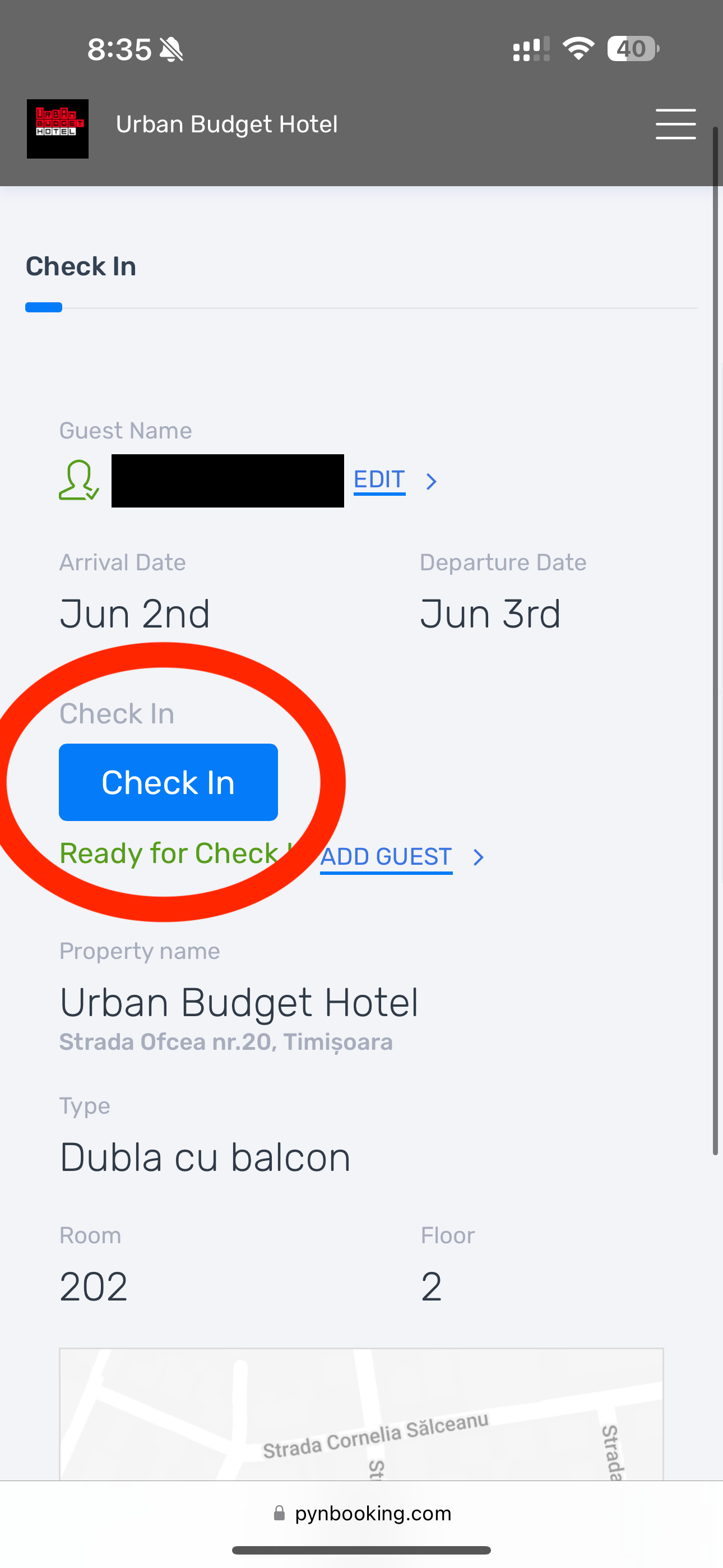
2. Click on “Check-In” button.
3. Click on “Registration” button.
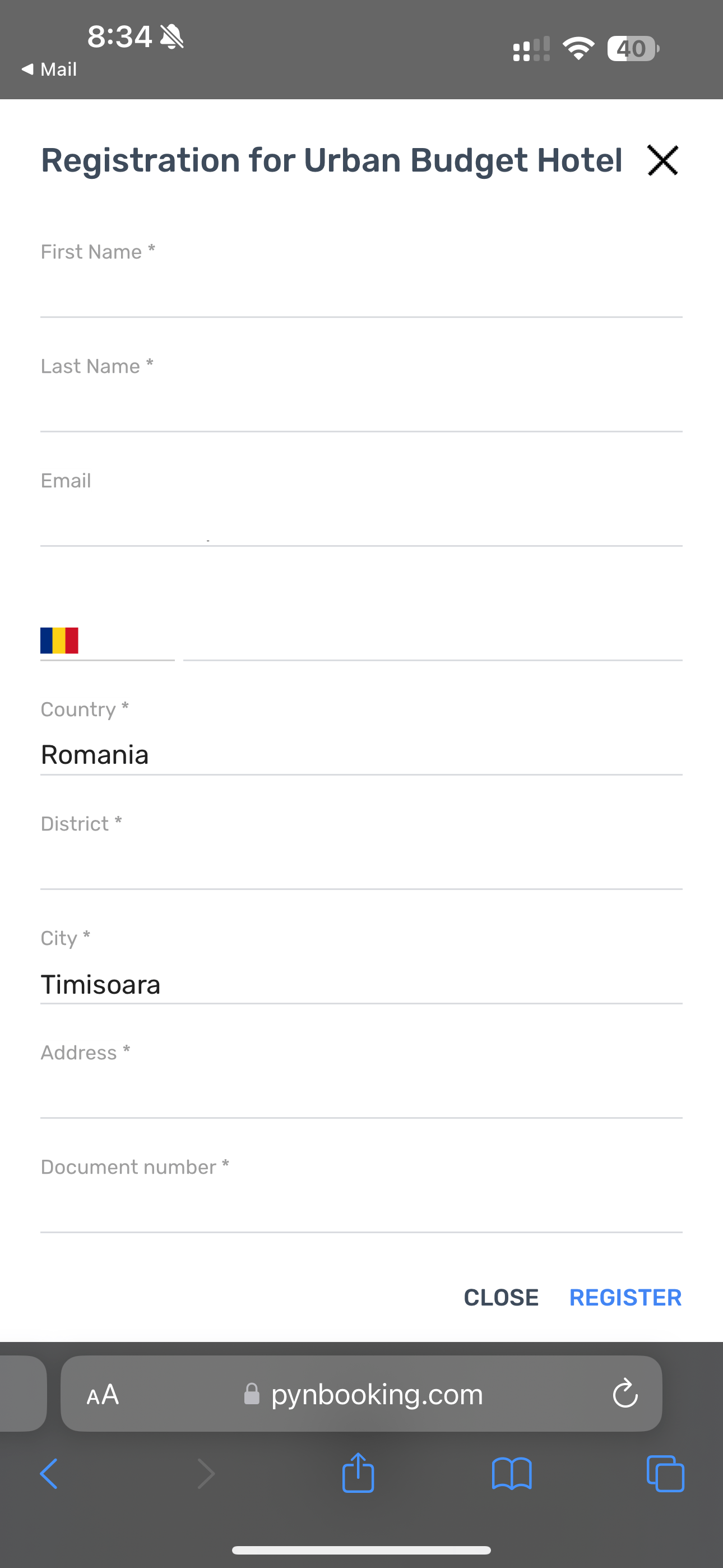
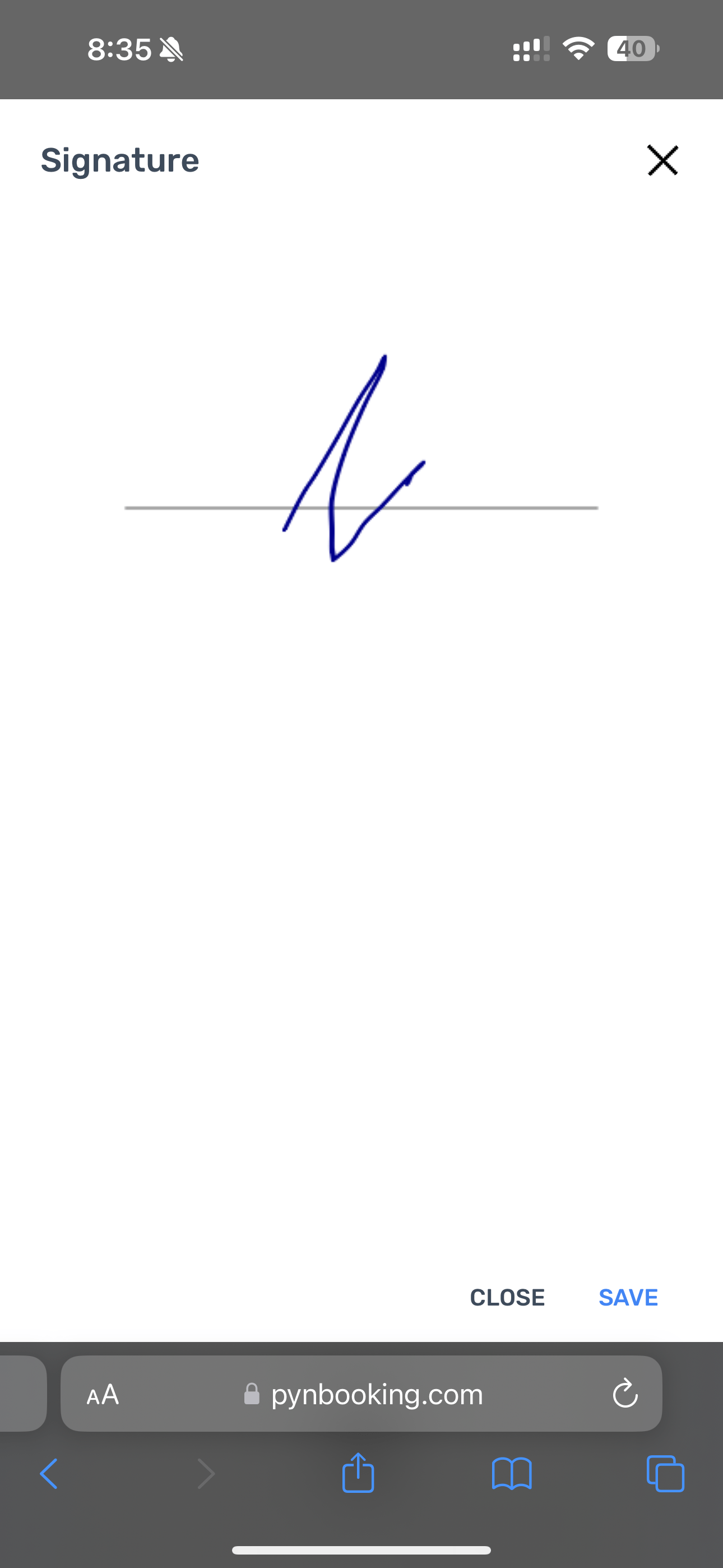
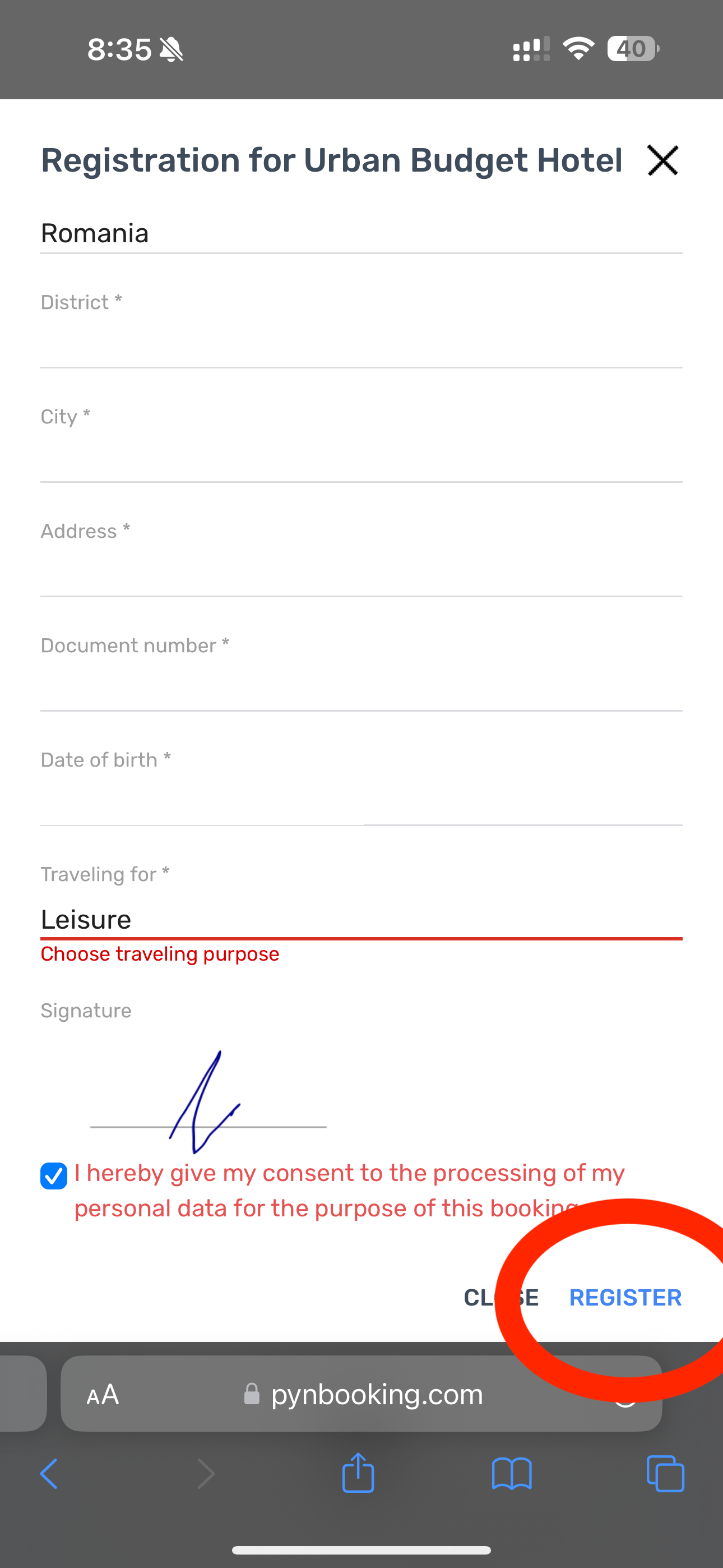
4. Enter your details and sign, then click the “Register” button.
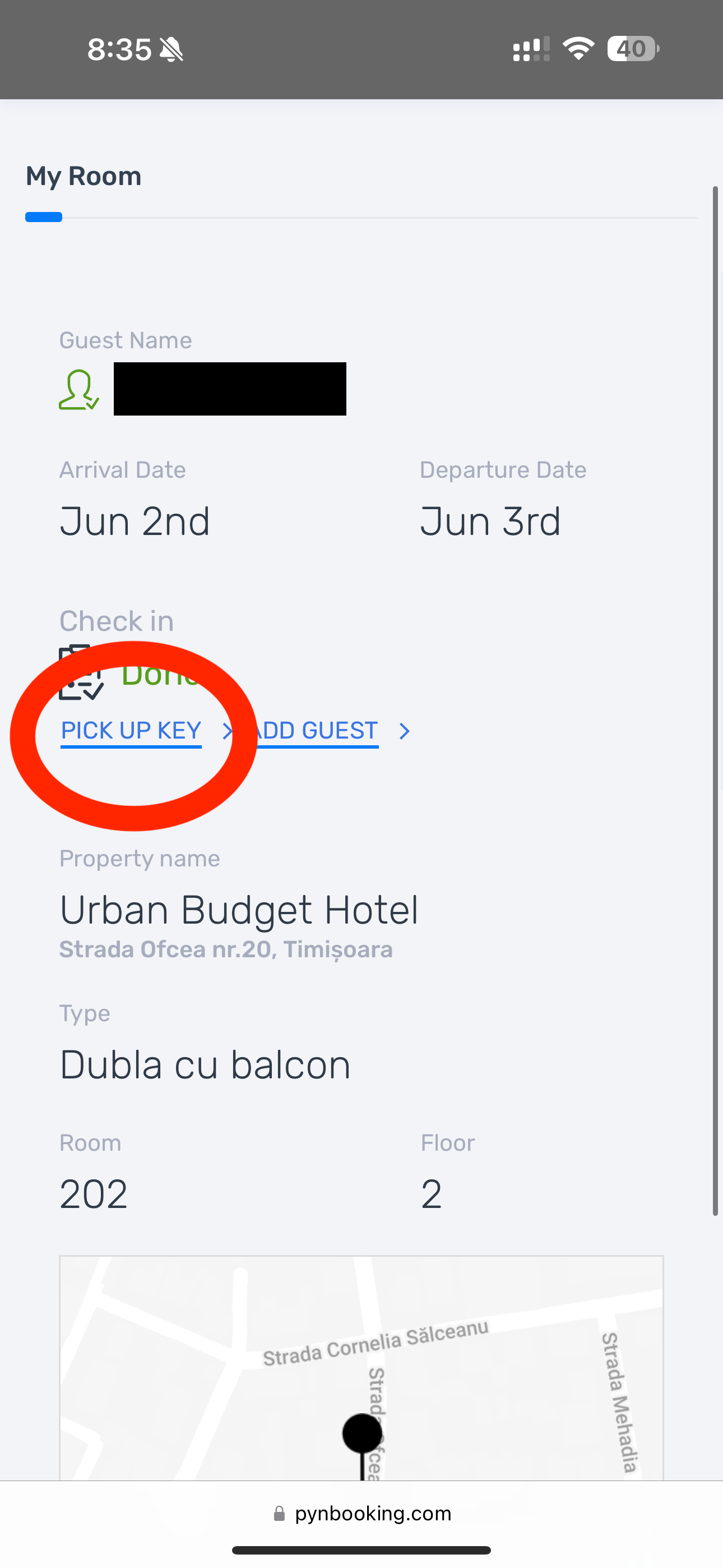
5. Click the “Check-In” button and the “Pick up key” button after.
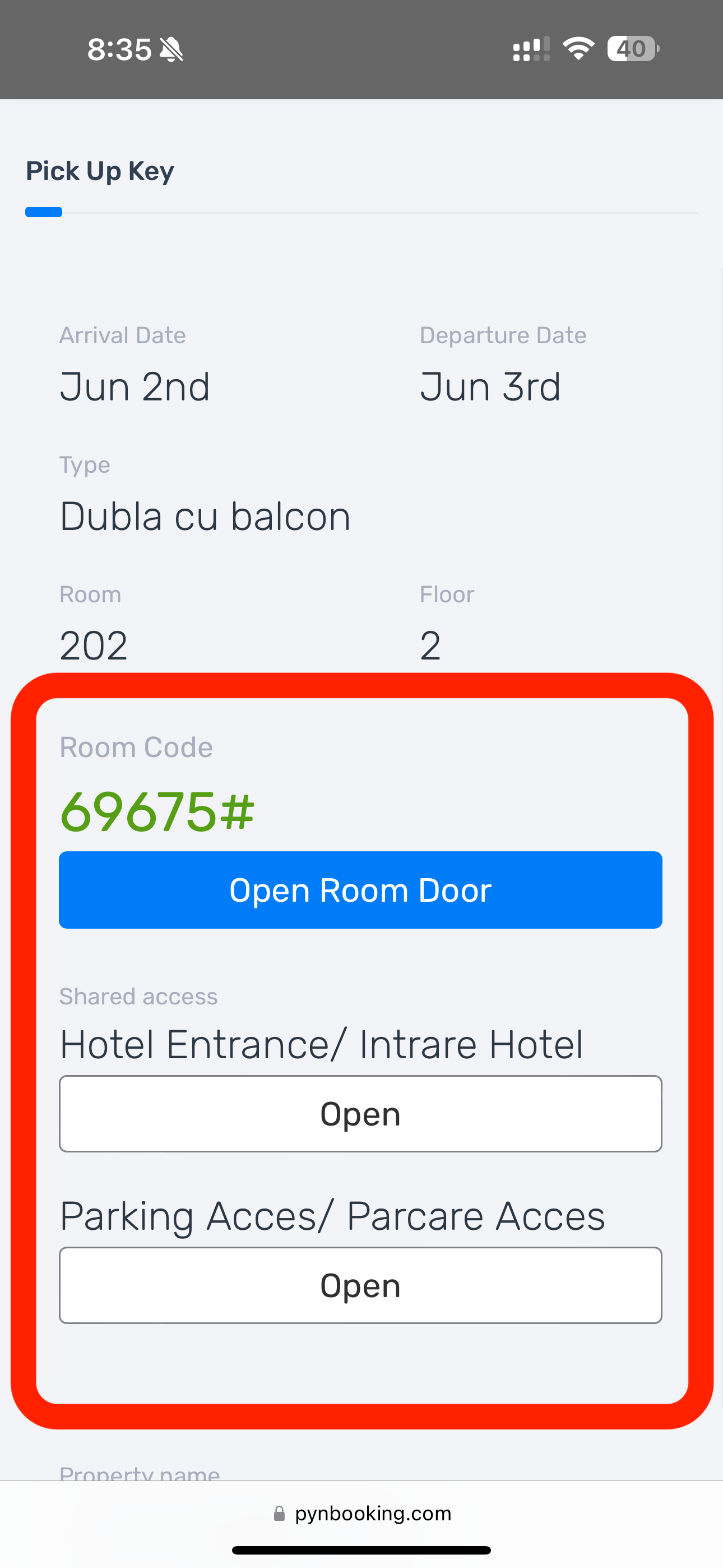
6. Here you will find the access code and the buttons “Open Room Door”, “Open for Hotel Entrance”, and “Open for Parking Access”. Don’t forget that if you need parking, you must call 0751 677 677 in advance to make a reservation.